SOX Compliance
Path: /sox
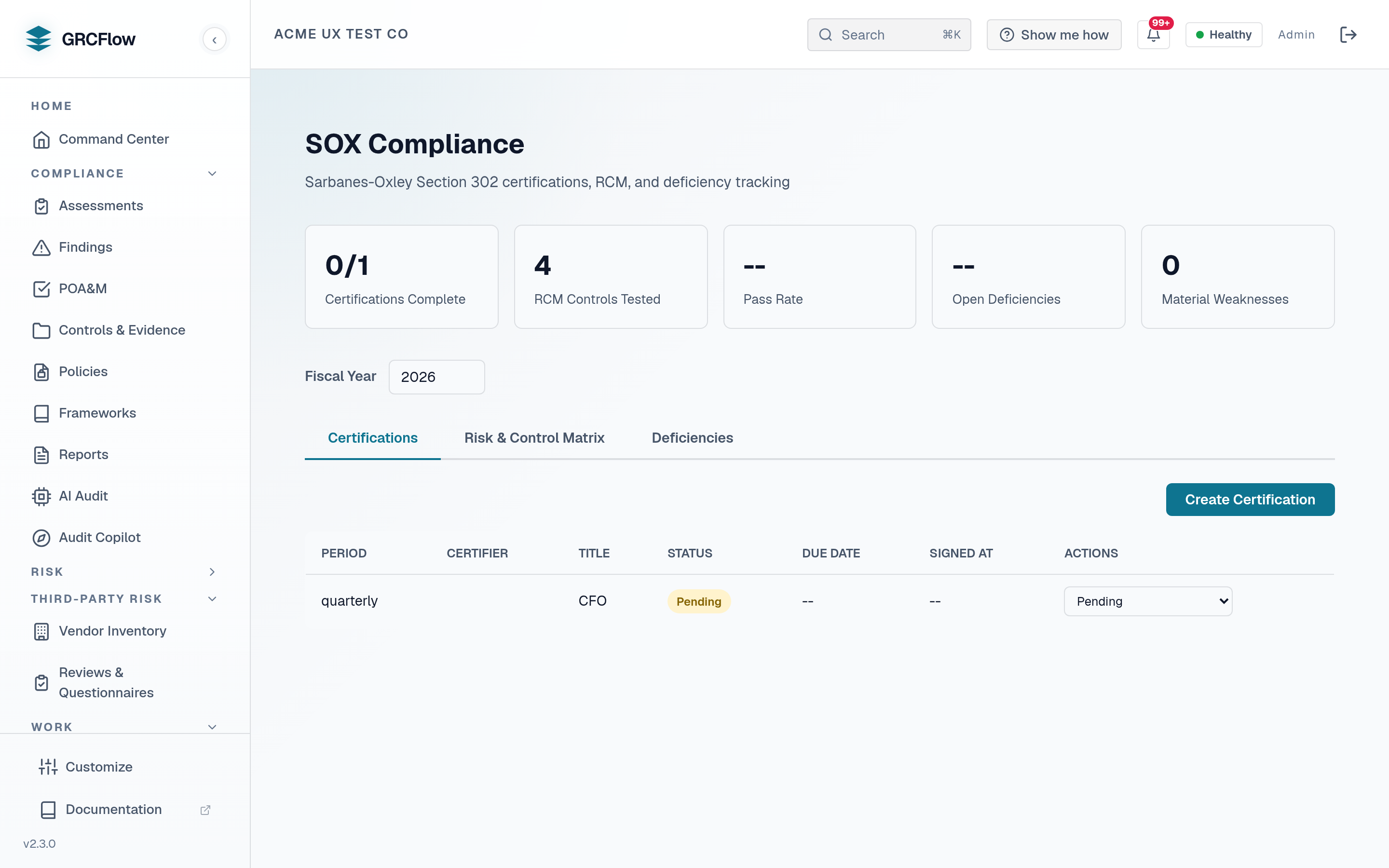
Sarbanes-Oxley (SOX) compliance tracking for Section 302 and Section 404 certifications. Track management certifications and internal control effectiveness.
Key Elements
- Certification list - Shows SOX certifications with fiscal year, period, quarter, status, and certifier.
- Create Certification - Start a new SOX certification process.
- Status tracking - Draft, Pending, Certified, Certified w/ Exceptions, Declined.
How to Manage SOX Certifications
- Click Create Certification.
- Enter the period and fiscal year (and quarter, if applicable) and assign the certifier.
- Work through the certification requirements.
- Mark as Certified when all internal controls are verified.
Only the designated certifier can certify
A certification is a personal attestation. Only the user assigned as the
certifier can set it to Certified or Certified w/ Exceptions; anyone
else, including an administrator, is refused and the page says why. An
administrator can reassign the certifier (certifier_id on
PATCH /sox/certifications/{id}), which is recorded in the audit log, but
cannot certify on the certifier's behalf. Certifying is recorded as a signed
ATTEST entry.
Rolling the RCM Over to the Next Fiscal Year
On the Risk & Control Matrix tab, Rollover to FY <next year> copies the active RCM entries of the selected fiscal year into the next one, with their test results cleared. The page then shows how many entries were created and how many were skipped.
The rollover is safe to run again: an entry the target year already has (same
process, subprocess and control id) is skipped, whether it came from an earlier
rollover or was entered by hand, and whether or not it is still active. A
second run therefore only adds controls that were added to the source year in
the meantime, and never touches the target year's existing entries or their
test results. The API (POST /sox/rcm/rollover) returns created and
skipped; a run that creates nothing writes no audit entry.