Data Sources
Path: /data-sources
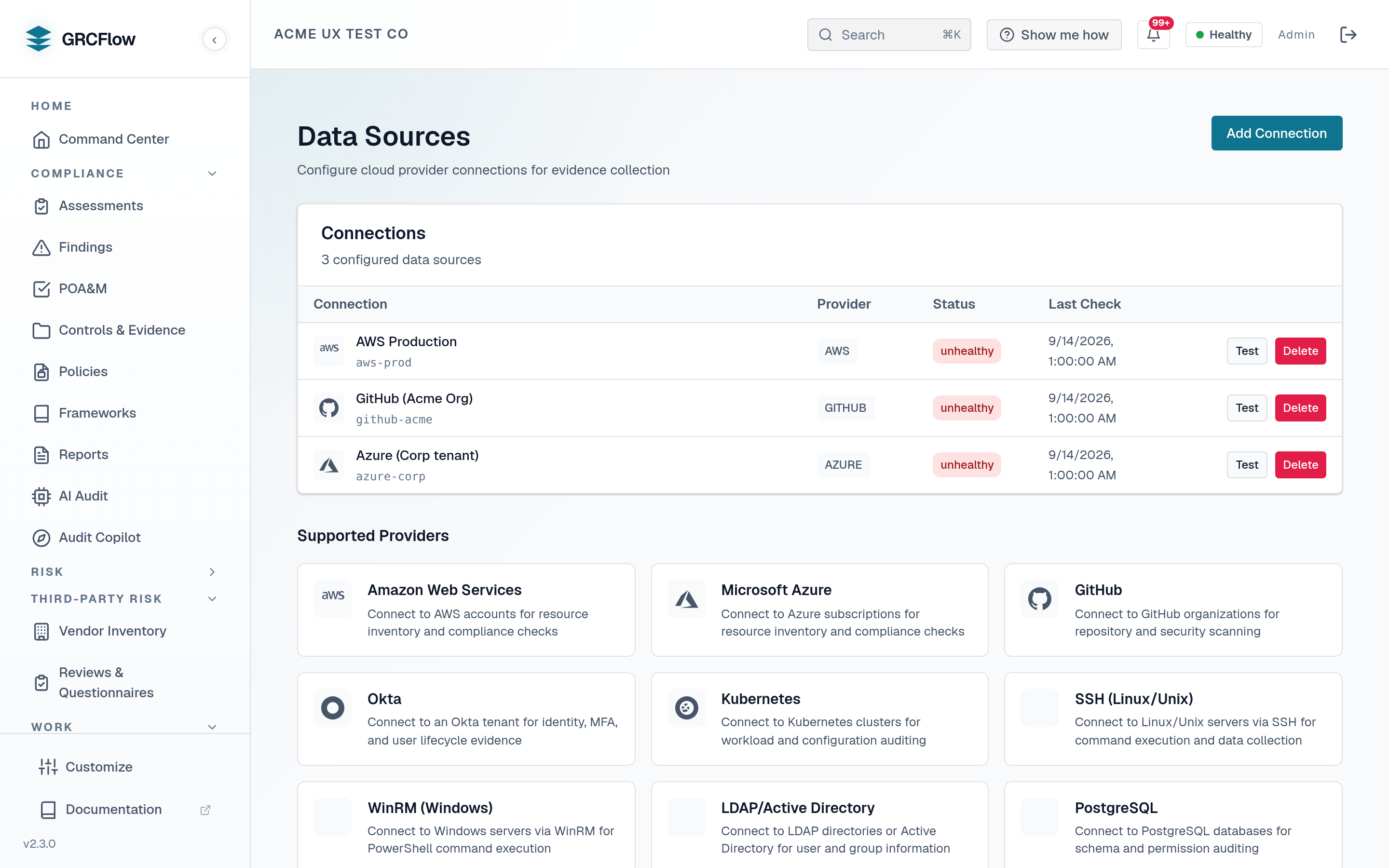
Connect cloud provider accounts for automated evidence collection. The system can automatically query your infrastructure to check control compliance.
Prerequisites — Steampipe sidecar + cloud credentials
Automated cloud queries are not turnkey out of the box. They depend on the optional Steampipe sidecar (available in the full-source / full-feature deployment, not the minimal published-image stack) and the cloud credentials you add below. A stock install without the sidecar simply leaves this feature off — the System Health page reports Steampipe as not configured and the in-app Setup readiness checklist lists it under Optional add-ons (safe to skip until you need it). Configuring data sources also pairs naturally with the Policy Engine (OPA) sidecar, which evaluates the queried data against pass/fail rules.
Supported Providers
- AWS — Connect via access key (Commercial or GovCloud partition). Ships the full control-evidence query library (SOC 2, CMMC L2, ISO 27001, PCI DSS, HIPAA).
- Azure — Connect via service principal (Public / US Government / China clouds). Ships an Azure control-evidence query library covering the same frameworks (storage exposure & encryption, RBAC assignments, NSGs, diagnostic settings, Defender for Cloud, Key Vault keys, SQL servers, NSG flow logs). Controls with no Azure-plugin signal (e.g. per-user last-login, MFA state) are skipped honestly rather than fabricated.
- GitHub / Kubernetes / SSH / WinRM / LDAP / Postgres / MySQL — additional Steampipe-backed sources for repository, cluster, host and database evidence.
GCP is not yet supported
There is currently no GCP connection type — no service-account wiring and no GCP control-evidence queries ship in this build. If you need GCP evidence today, collect it manually via Evidence Requests.
How to Connect a Data Source
- Click Add Connection.
- Select the cloud provider.
- Enter credentials (access key, subscription ID, etc.).
- Select regions to scan.
- Test the connection.
- The system will use Steampipe to query your infrastructure during assessments.