Compliance Analytics
Path: /compliance-analytics
Hidden by default
Because rule execution is not available yet (see below), this page ships hidden by default. Turn it on from the sidebar's Customize popover. If you have already customized your sidebar, your choice is kept unchanged.
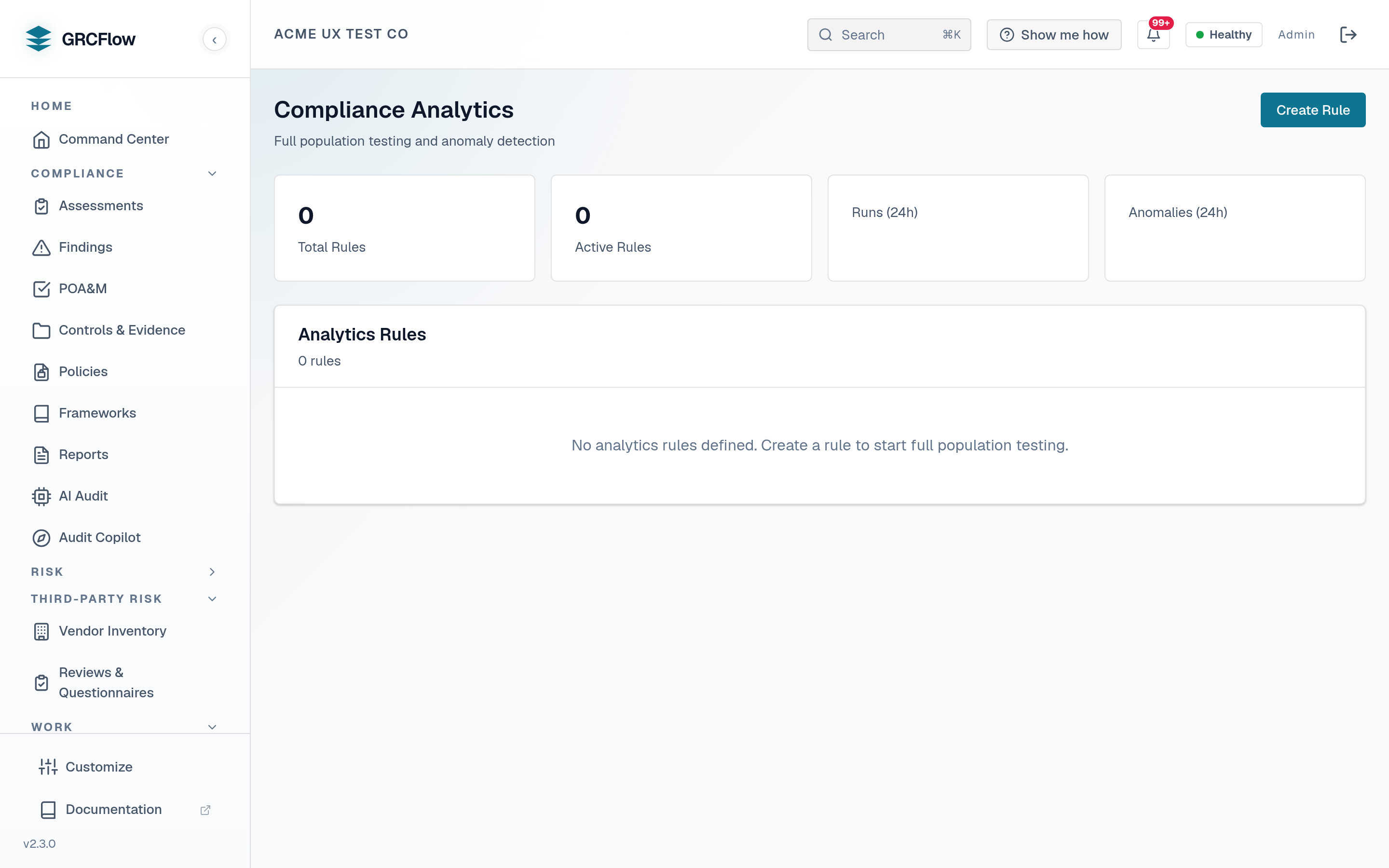
A library of full-population test rules. A rule records what to test (a type, a severity, a data source, a query, an optional threshold and schedule) so the definition is reviewed and kept with the rest of the compliance program.
Rule execution is not available in this release
Rules can be created, edited, enabled, disabled and deleted. Nothing runs
them: there is no execution engine, on demand or on a schedule. No records
are scanned and no anomalies are detected. The page says so, the Run
button is disabled, and the API's POST /orgs/{org_id}/analytics/rules/{rule_id}/run
answers status: "not_implemented".
For compliance trends over time, use the Posture trend on the Dashboard; for control results, use Assessments and Findings.
Key Elements
- Total Rules / Active Rules - How many rules are defined and how many are enabled.
- Create Rule - Name, rule type (threshold, pattern, duplicate, outlier, segregation, custom SQL), severity, data source, threshold, schedule, tags, description and query. The schedule is saved with the rule but is not acted on.
- Analytics Rules table - Each rule with its type, severity, data source and status, and the Enable / Disable and Delete actions. Creating, changing and deleting a rule is recorded in the audit log.